NinoGames Account Safety starts with careful habits before you sign in, download an app, or make a payment. Adult Filipino users should treat gaming accounts as private services. Protecting personal details, codes, payments, and devices can reduce risks. No security step removes every threat, but practical actions make misuse harder. Consistency also matters.
Create a Strong, Unique Password
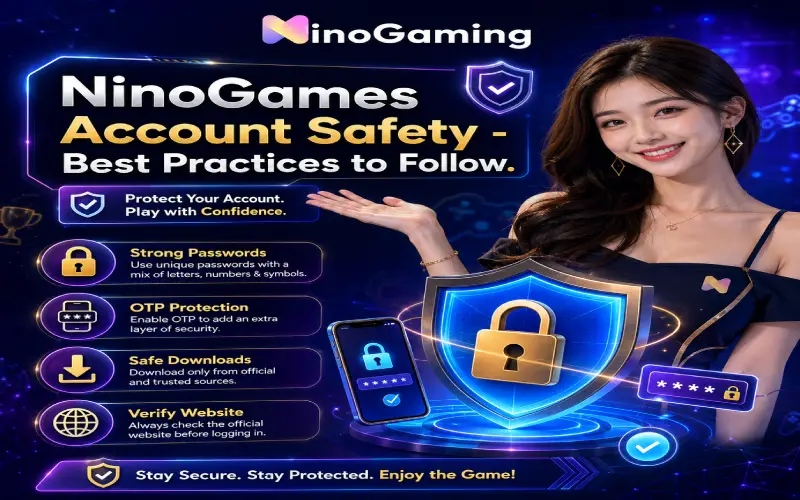
Choose a long, hard-to-guess password that differs from those used for email, banking, or social media. Combine random words, numbers, and symbols; avoid birthdays, names, and simple patterns.
A password manager can create and store unique passwords. Never send your password through chat, text, or email. Change it immediately if someone may have seen it.
Protect Every OTP
An OTP confirms that the person signing in or approving an action controls the registered phone or email. Keep every OTP private, even when someone claims to represent customer support.
Scammers may claim your account will close or a reward will expire. Verify only through official account pages. Never read an OTP aloud or type it into a form opened from an unexpected message.
Verify the Correct Website
Check the website address before entering account details. Misspellings, added characters, unusual domains, or copied designs may indicate an imitation. Search results and social posts may lead to unofficial websites.
Users looking for ninogame.ph. should confirm the current address through a trusted official source. A familiar logo or layout does not prove a website is genuine.
Download Apps Safely
Download an app only when the platform confirms one is available. Use the stated source and review the publisher, permissions, updates, and requirements.
Avoid installation files shared through private messages, group chats, pop-up advertisements, or unknown download pages. Before installing anything connected with ninogames, scan the file when possible and keep the phone operating system updated.
Avoid Suspicious Links
Unexpected links may lead to phishing pages that copy a login screen or payment form. Be cautious with messages promising bonuses, urgent verification, account recovery, or special access.
Open the service independently instead of following a questionable link. Do not download attachments from unknown senders. If a message appears to come from someone you know but sounds unusual, confirm it through another communication channel.
Complete Account Verification Carefully
Account verification may request information to confirm identity, age, contact details, or account ownership. Follow only the instructions displayed through verified platform channels.
Check what documents are required, why they are needed, and how they will be handled. Hide unrelated information when allowed. Never send identification documents to personal social media accounts or unofficial support representatives.
Keep Payments Secure
Use payment methods registered in your own name and review all transaction details before confirming. Check the amount, recipient, fees, and payment status carefully.
Do not save card information on shared devices. Avoid making payments while connected to unsecured public Wi-Fi. Review account and payment records regularly, and contact the payment provider promptly if you notice an unfamiliar transaction.
Understand Shared-Device Risks
Shared computers and phones may store usernames, passwords, browser history, screenshots, or downloaded files. Avoid signing in on devices used by other people whenever possible.
When shared access cannot be avoided, use a private browsing window, decline password-saving prompts, sign out fully, and clear downloaded files. Remember that private browsing does not protect information from malware or device administrators.
Use Customer Support Safely
Contact support only through details shown on a verified website or inside the official account area. A legitimate support process should not require your password or OTP.
Explain the problem clearly without sending unnecessary personal data. Remove sensitive details from screenshots. Save reference numbers and conversation records in case you need to follow up or report suspicious behaviour.
Recognise Common Account Threats
Common threats include phishing, reused passwords, fake applications, malicious browser extensions, social engineering, SIM-related fraud, and unauthorised device access. Some attacks rely on technical methods, while others simply pressure users into revealing information.
NinoGames Account Safety also depends on recognising unusual login alerts, password-reset messages, profile changes, or payment activity. Respond quickly by changing credentials and contacting verified support.
Follow Responsible Gaming Habits
Security and responsible play support each other. Set a spending budget, time limit, and stopping point before playing. Never share an account, borrow money to continue, or chase losses.
Useful nino gaming tips include taking regular breaks, reviewing spending, avoiding play while upset, and using available limit or self-exclusion tools. Gaming should remain optional entertainment for adults, not a solution to financial pressure.
Conclusion
NinoGames Account Safety requires consistent attention rather than one single setting. Strong passwords, private OTPs, verified websites, safe downloads, careful payments, and secure devices all contribute to better protection. Stay alert to unexpected messages and account changes, and use only verified support channels. Responsible gaming limits can also protect both personal wellbeing and financial information.