
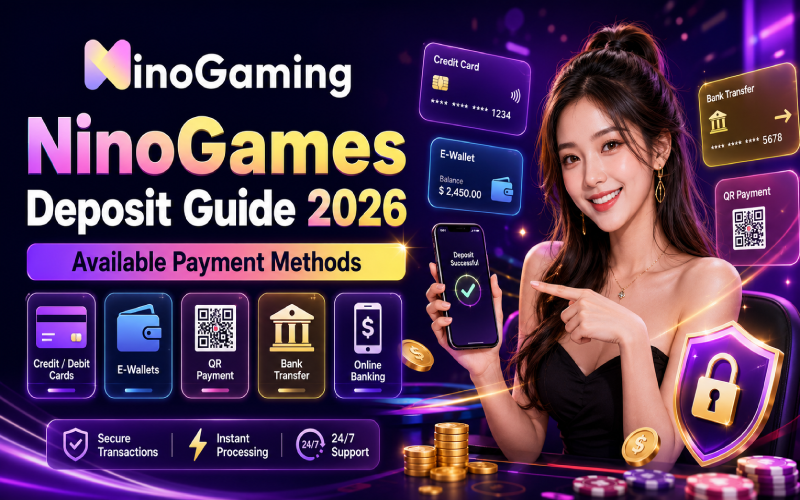
For Filipino bettors, a smooth deposit experience can make online gaming much more convenient. Whether you prefer GCash, Maya, a bank card, or another e-wallet, having several payment choices means you can select the method that fits your routine. This ninogame ph deposit guide explains the commonly available options, what to check before making a transaction, and how to fund your account responsibly in 2026.
NinoGames also offers a diverse collection of casino games, giving different types of players plenty to explore. From slots and table games to other casino-style options, the platform aims to provide variety while keeping the deposit process straightforward.
Available NinoGames Deposit Methods
Payment availability can vary depending on your account, location, transaction limits, and the payment providers operating at the time of deposit. Filipino players should always check the cashier section of their account for the latest options before transferring funds.
| Payment Method | Typical Use | What to Check Before Depositing |
| GCash | Fast mobile-wallet payments | Account verification, minimum/maximum limits, transaction fees |
| Maya | Mobile wallet deposits | Supported transaction route and current limits |
| Credit/Debit Card | Direct card funding | Card acceptance, issuer restrictions, fees |
| Other E-wallets | Alternative digital payments | Availability in the cashier and provider requirements |
| Bank/Online Banking | Larger or traditional transfers | Bank details, processing time, transfer limits |
The table summarizes payment categories that may be offered; exact availability, limits, fees, and processing times should be confirmed in the NinoGames cashier at the time of deposit.
GCash
GCash is a familiar choice for many Filipino users because it can be accessed directly from a smartphone. If GCash appears in the available deposit options, select it, enter the required amount, and follow the payment instructions carefully. Double-check the recipient details before confirming—sayang naman if a simple typo causes a problem.
Maya
Maya provides another convenient e-wallet option for eligible players. The process generally involves selecting Maya from the available payment methods and completing the requested payment steps. Always confirm the current minimum deposit and any applicable charges before proceeding.
Cards and Other E-wallets
Players who prefer conventional banking can look for supported credit or debit cards. Other e-wallets may also appear depending on current payment-provider support. Card issuers and financial institutions can impose their own restrictions, so a declined transaction does not necessarily mean there is an issue with your gaming account.
How to Make a Deposit
Start by signing in to your NinoGames account and opening the cashier or deposit section. Review the available payment methods and select your preferred option. Enter the deposit amount, carefully follow the displayed instructions, and check the transaction details before confirming.
After payment, keep the transaction reference or confirmation message until the balance has been updated. If a deposit is delayed, avoid sending another payment immediately. Instead, check the transaction status and contact the platform’s support team using the official channels available to you.

Deposit Tips for Filipino Players
Before depositing, make sure the payment account or card belongs to you and that your account information is accurate. Check minimum and maximum limits, possible fees, and any promotional terms that may apply.
It is also smart to set a personal spending limit. Casino games involve risk, and no payment method changes the odds of winning. Treat deposits as entertainment spending rather than guaranteed returns, and never deposit money you cannot afford to lose.
Conclusion
A variety of payment options can make the NinoGames experience more convenient for Filipino players. GCash, Maya, cards, and other e-wallets may provide practical ways to fund an account, but availability and transaction conditions can change. For the most accurate information in 2026, check the live cashier page before every deposit and review the displayed limits, fees, and instructions.
FAQs
GCash may be available as a deposit option for eligible Filipino players. Check the cashier section of your account to confirm current availability, limits, and instructions.
Maya may be supported depending on the payment options currently offered. Select the cashier’s available methods to see whether it is available to your account.
Supported debit or credit cards may be used where card payments are available. Your card issuer can also apply its own transaction restrictions.
Other e-wallets can be available depending on current payment-provider support. The cashier is the best place to confirm which options are currently active.
First, check your payment confirmation and transaction status. Keep your reference number and contact customer support if the balance remains unchanged. Avoid making duplicate payments while the original transaction is being investigated.